

Conduct in On Campus Exams
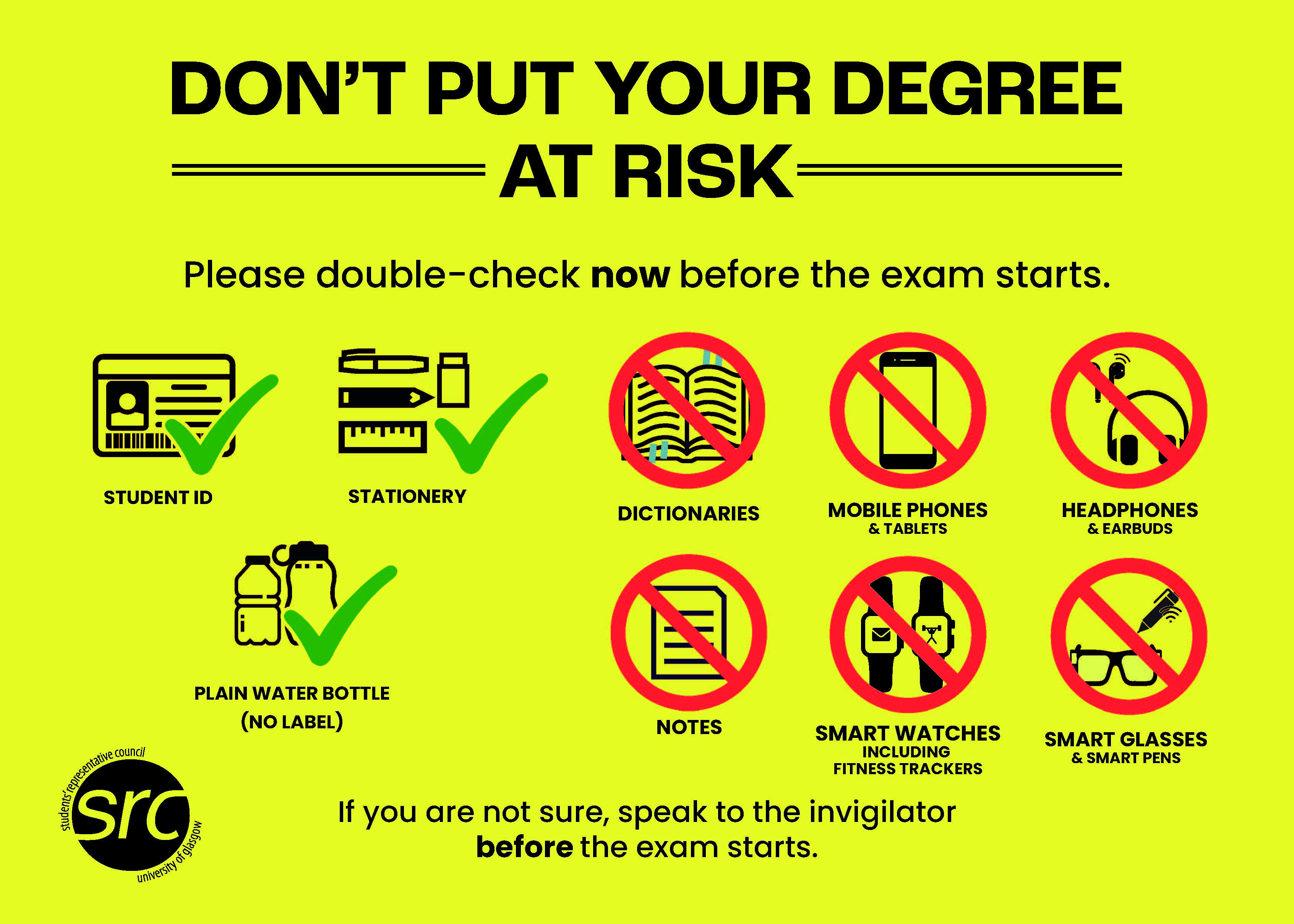
Please double-check now before the exam starts
Permitted items: Student ID, stationery, plain water bottle (no label).
Prohibited items: Dictionaries, mobile phones and tablets, headphones and earbuds, notes, smartwatches including fitness trackers, smart glasses and smart pens.
If you are unsure, speak to an invigilator before the exam starts.
The penalties for exam breaches – even unintentional ones – can have a serious impact, particularly where no resits are available. Follow all exam rules – Do not put your degree at risk.
You are under exam conditions as soon as you enter the room. You must not access notes, your phone, or any other electronic devices at any point while you are in the exam room and you must not speak to anyone except invigilators. Exam conditions apply until all papers have been collected and you have left the exam hall.
You must do what the invigilators tell you. They are there to ensure the exam runs smoothly and that no student has an advantage over any other. If they tell you an item is not allowed, do not try to argue or retrieve the item, as this will disrupt the exam and may lead to further misconduct action against you.
Invigilators will be present in the exam room at all times. You can expect them to ask to check any item at your desk, and to ask you to check your pockets if you need to leave the room for any reason (e.g. if you need to go to the bathroom or feel unwell).
Remember that if you have a disability or medical condition that means you have additional arrangements, or require a device or other equipment in your exam, you should seek support from the Disability Service well in advance of the exam diet.
PHONES/TABLETS
- Switch fully OFF – and disable all alarms you have set, as they can switch your phone back on. If you are not sure how to switch your phone fully off, find this out and test it before the exams . Putting your phone in flight mode or silent is not allowed – it must be off.
- Put in a closed bag or under your chair – NOT in pockets, on your desk, or in a coat over your chair – your phone must be completely inaccessible.
- Do not access your phone again until the exam has finished and you have left the room
GLASSES
- Meta glasses and other types of smart glasses are not permitted in any exam, even if they have prescription lenses. If you need to wear glasses in your exams, they cannot be of a smart type
WATCHES
- Smartwatches, sports watches, and fitness trackers are not allowed – even if you have not set them up to receive notifications. As a rule, if your watch has any function beyond showing the time and date, remove it and place it in your bag or under your seat – NOT in your pocket
- If you have a basic watch that can only display the time/date, make sure it is placed on your desk, and not on your person
NOTES
- No notes of any kind are permitted, whether written on paper, other stationery, clothing or body parts, inside dictionaries, or anywhere else. For some exams you may be permitted access to notes and if this is the case you will receive instructions in advance from your School confirming this. You should ensure you read those instructions very carefully as these will detail exactly which notes you are allowed to have in the exam.
DICTIONARIES
- No dictionaries of any kind are permitted in exams unless the exam is fully open-book (that is, you have been told that you may bring any notes, books etc you wish into the exam). Where you are only allowed to bring specific materials (eg. law statutes, or limited notes), you are not permitted to bring a dictionary.
- Electronic translators, translation pens, ChatGPT pens or other smart pens are not permitted.
CALCULATORS
- Only bring a calculator that is of a type approved by your School. Calculators that are programmable or that have graphic or storage functions are not permitted in any exam. Calculators are banned from certain exams so make sure you have read the instructions for each exam carefully.
- Calculator covers are not permitted
HEADPHONES
- Headphones, earphones, and earbuds are not permitted, or any other type of earpiece that could allow communication – even if they are not connected to any device. If you need to block out noise to help your concentration, you can use basic foam ear plugs.
- Invigilators may ask you to temporarily remove your hat or take down your hood to ensure you are not using earphones or earbuds.
STARTING AND FINISHING THE EXAM
- Do not turn over/read the paper or start writing until the invigilator formally starts the exam. You may ONLY fill in your attendance sheet. Before the exam starts you are only permitted to fill in your attendance sheet. Listen carefully to the invigilator's announcement.
- When the invigilator ends the exam, stop writing IMMEDIATELY. You must not even finish your sentence or fill in your details on the front of the answer book. You may see other students writing but they may have additional time for valid reasons.
OTHER INFORMATION
- Do not communicate in any way with any other candidate while under exam conditions
- Vapes are not permitted
- Invigilators may ask you to temporarily remove your hat or take down your hood to ensure you are not using earphones or earbuds
- Do not bring scrap paper – if you need to do rough work, this should be done inside your answer booklet. You are expected to write only on the materials that are provided to you in the examination and not on any of your own supplies.
- You are permitted to use coloured overlays if you need them to reduce visual stress but these must have no writing or other annotations on them
Invigilator Announcement at Exams
Please listen carefully because this information is very important.
- Exam rules start now and remain in place until all papers are collected, and you have left the room.
- Do not open the exam question paper until you are told to begin.
- Exam rules are there to ensure that this assessment is fair for all students, so that no student can potentially gain an unfair advantage. Do not put your degree at risk.
- If you need help at any point before or during the exam, raise your hand and wait for an invigilator. You may only communicate with invigilators
- All notes, dictionaries, phones, and electronic devices including earbuds, smartwatches, smart glasses, fitness trackers, translators and smart pens must be stored in a closed bag under your chair or desk for the entire exam.
- If you do not have a bag, place items on the floor under your chair or desk.
WE ARE GOING TO GIVE YOU TIME NOW TO FOLLOW THESE IMPORTANT RULES:
- Switch your phone OFF completely. Silent mode or flight mode is not allowed. Disable any alarms you have set, as these can cause your phone to turn back on.
- Check your pockets and desk now. Remove any prohibited items and store them in your bag or under your chair or desk.
- If you have a basic watch, place it on your desk. Do not wear it.
- Do not store prohibited items in any pockets, including coat pockets. If you don’t have a bag, place items on the floor under your chair or desk
- If you are found with a prohibited item, from this point on, it will be confiscated and reported to the Student Conduct Team—even if you have not used it.
- If you need to leave or require assistance, raise your hand high and wait for an invigilator.
- Students who leave without permission will be reported to the Student Conduct Team.
- Check that the question paper on your desk is for the correct exam that you expect to be taking. (Pause to allow checking.)
- You can use a calculator in your exam if they’re specifically allowed, as long as it is the right type as permitted by your school
- Do NOT remove answer books, pages, or Tele form sheets from this venue
- You can complete your attendance slip and the front of all answer books or Tele form sheets now. Place your student ID card on your desk so invigilators can check your attendance.
Students with Extra Time
- Some students receive extra time adjustments at the end of the exam. These will have been arranged in advance. If you have a time adjustment and have not made yourself known to an invigilator, please do so when your attendance slip is being collected.
- If you wish to use your approved extra time adjustment, please continue with your exam when the cohort is told to stop writing. Your invigilators will manage your adjusted end time.
Fire Safety Announcement
If the fire alarm sounds:
- Stop writing immediately.
- Draw a line under your last answer and leave all papers on your desk.
- Exit calmly and go to the assembly point shown on the fire notice in this room.
Starting the Exam
- This exam lasts [insert hours and minutes].
- You cannot leave within the first hour of the exam
IF the exam is longer than two hours read:
- You cannot leave during the last 30 minutes.
- The exam will begin at [insert start time] and end at [insert finish time].
- A 15-minute warning will be given at [insert time].
- You may now begin writing. Good luck!
15-Minute Warning
- The time is [insert time]. You have 15 minutes left, unless it has been agreed that you are allowed extra time.
- Make sure you have completed the front of all answer books and Tele form sheets.
- You will NOT be allowed to fill in these details after the exam ends.
- This rule ensures fairness for all students.
Ending the Exam
- Stop writing now, the time is [insert time here] students with extra time may continue writing.
- Anyone continuing to write will be reported to the Student Conduct Team. Stay seated and in silence while invigilators collect your papers, please be mindful some student's exams are still in process.
- Do not turn on phones or access any notes until you leave the room.
- Exam conditions apply until you have left the venue.
- If you used script books:
- Seal your answer book for anonymous marking by folding and sticking the flap to hide your name.
- Place any extra answer books inside the first one.
- If you need help, raise your hand.
- Remove all personal belongings from your desk and from under your chair or desk
- Leave quietly when you are told you can go.